Pulse
Pulse is a powerful feature in Testomat.io that brings full visibility, traceability, and control to your QA workflow. It tracks every change made within your projects — including tests, suites, plans, and runs — giving you a clear picture of how your testing assets evolve over time.
Pulse provides instant visibility into team activity and testing progress. This helps QA Leads and Project Managers stay informed without manually requesting status updates.
What is Pulse
Section titled “What is Pulse”Pulse acts as your project’s activity log and version history, automatically recording all modifications across tests, suites, plans, and runs. It’s designed to ensure transparency, accountability, and easy recovery, so your team can work confidently knowing that every action is tracked and reversible.
Every action related to these entities is recorded, providing full visibility into how your testing assets evolve over time.
With Pulse, you can:
- See who made a change, what was changed, and when it happened.
- Review the history of edits, additions, or deletions for any test, suite, plan, or run.
- Restore deleted items or roll back to previous versions with a single click.
For QA Engineers, this means full control over versioned work. For managers, it offers a reliable audit trail and a clear view of project momentum over time.
This ensures you’ll never lose important test data or struggle to understand how your project has evolved — Pulse keeps your QA process transparent and your history intact.
How Pulse Works
Section titled “How Pulse Works”You can access Pulse directly from the Pulse tab in your Testomat.io project. There, you’ll find a chronological list of all activities recorded over the last 90 days. Each entry contains detailed information about the change, including timestamps, item type, and the responsible team member.
Pulse allows you to track every action across your QA workflow, giving you a clear picture of how tests, suites, plans, and runs evolve over time.
Activity Types
Section titled “Activity Types”Activity tracking applies to all main QA entities in your project. For each entity, Pulse records who performed the action and when it happened:
- Suite — tracking full CRUD activity for suites, with versioned changes, before/after diffs, including title and description updates, attachment changes, bulk edits within a suite, and suite restore.
- Test — tracking full CRUD activity for tests, with versioned changes, before/after diffs, including title and description updates, attachment and priority changes, test state updates (manual, automated), and test restore.
- Run — tracking activity for runs, with versioned changes, before/after diffs, including manual or automatic purge, run restore, and permanent removal.
- Plan — tracking full CRUD activity for plans (manual, automated, mixed), with versioned changes, before/after diffs, including filter updates, included/excluded suites and tests, query changes, manual/automated state changes, and plan restore.
QA Leads can use this overview to identify active contributors, while PMs can quickly assess whether recent changes align with sprint goals or release timelines.
Filtering and Navigation
Section titled “Filtering and Navigation”Pulse includes powerful filters to help you quickly find the information you need. You can narrow down activities based on:
- Item Type – filter logs by Suite, Test, Run, or Plan.
- Date Range – filter changes within a specific time window.
- Changed By – see actions performed by a particular user.
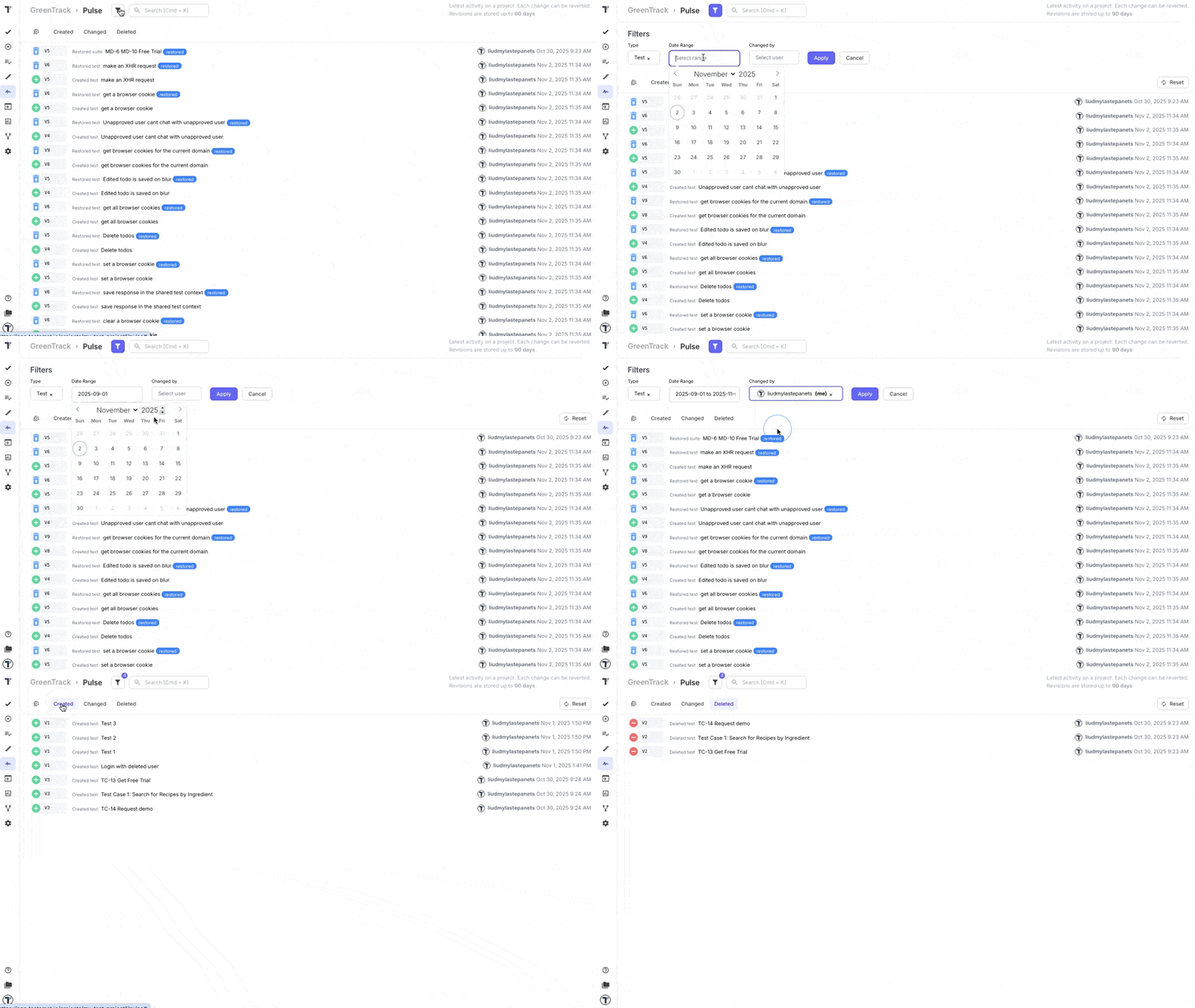
Each filter can be applied individually or in combination, enabling precise tracking of team activity and project evolution.
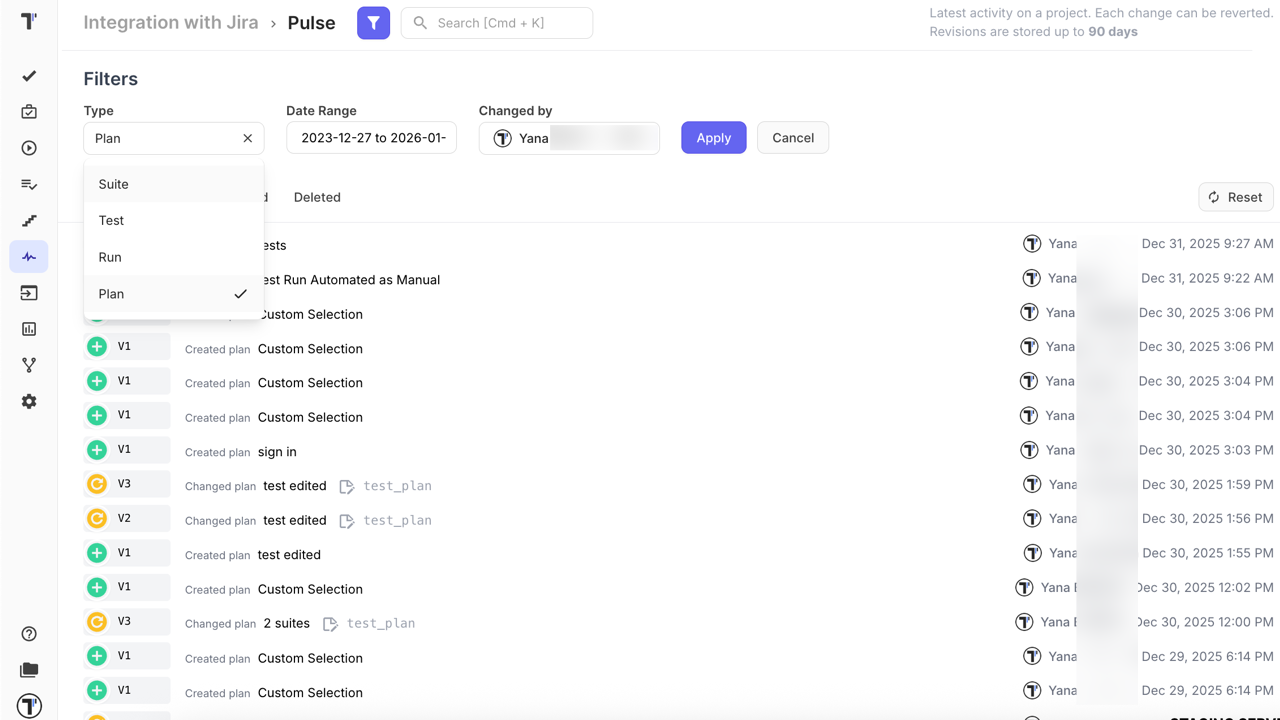
This makes it easy to monitor specific team members’ contributions or isolate changes from a given testing phase.
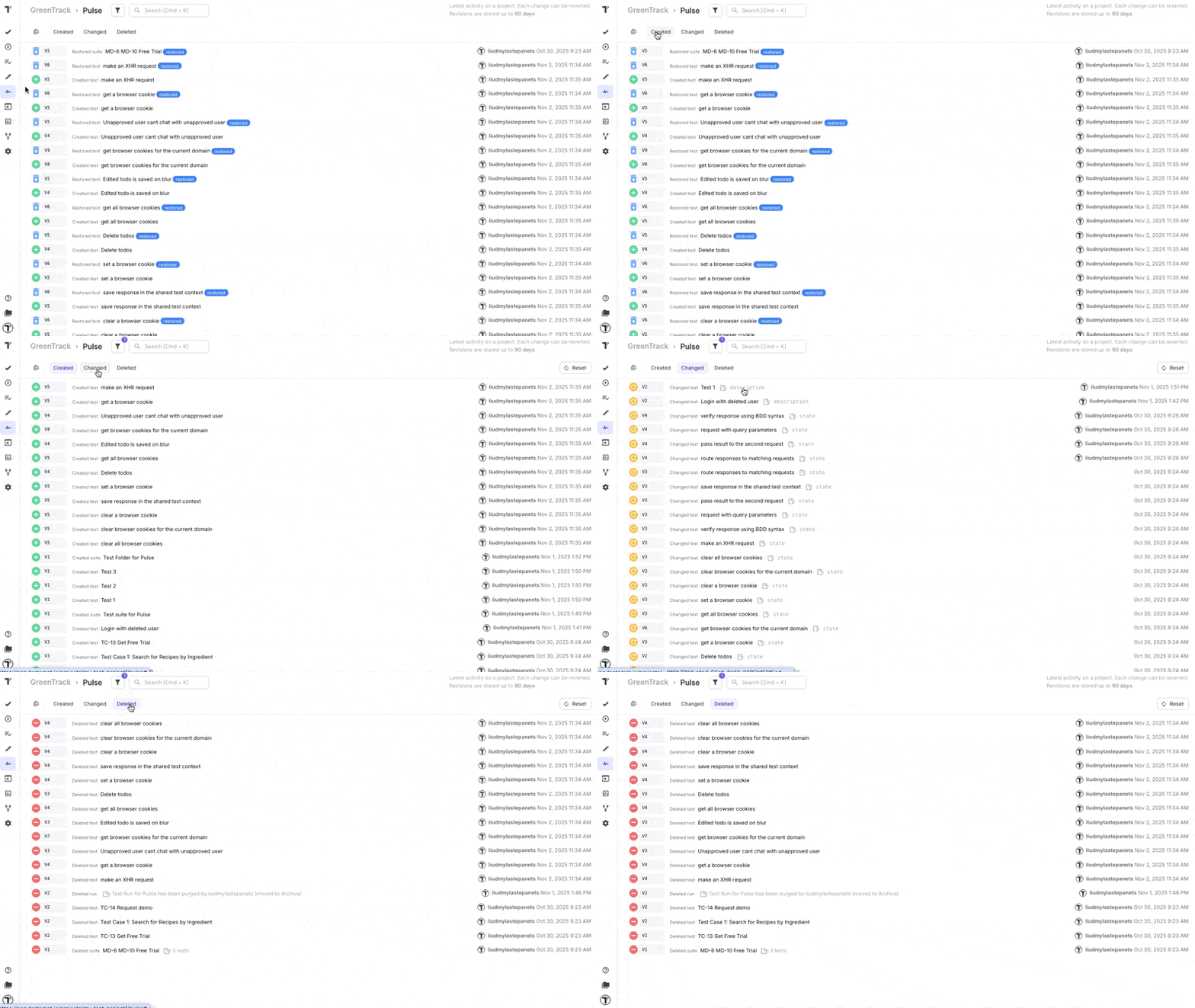
In addition to filters, Pulse provides activity tabs that allow you to switch between:
- Created — new tests, suites, or plans added to the project.
- Changed — updates to existing items.
- Deleted — items removed from the project, including tests, suites, plans, or runs.
These tabs instantly filter the activity feed by action type, making navigation faster and more intuitive.
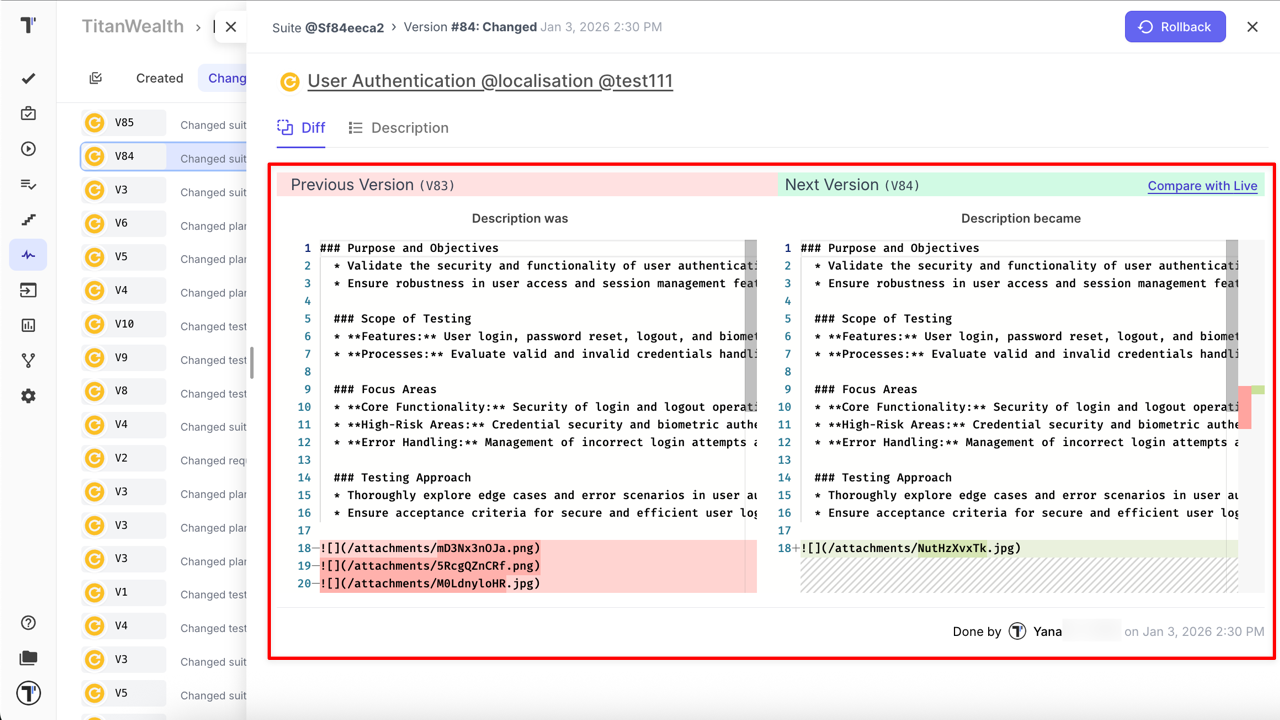
Pulse provides a Diff view for items with the Changed action. It allows you to compare different versions of the same item and clearly see what was modified between them.
Bulk Restore
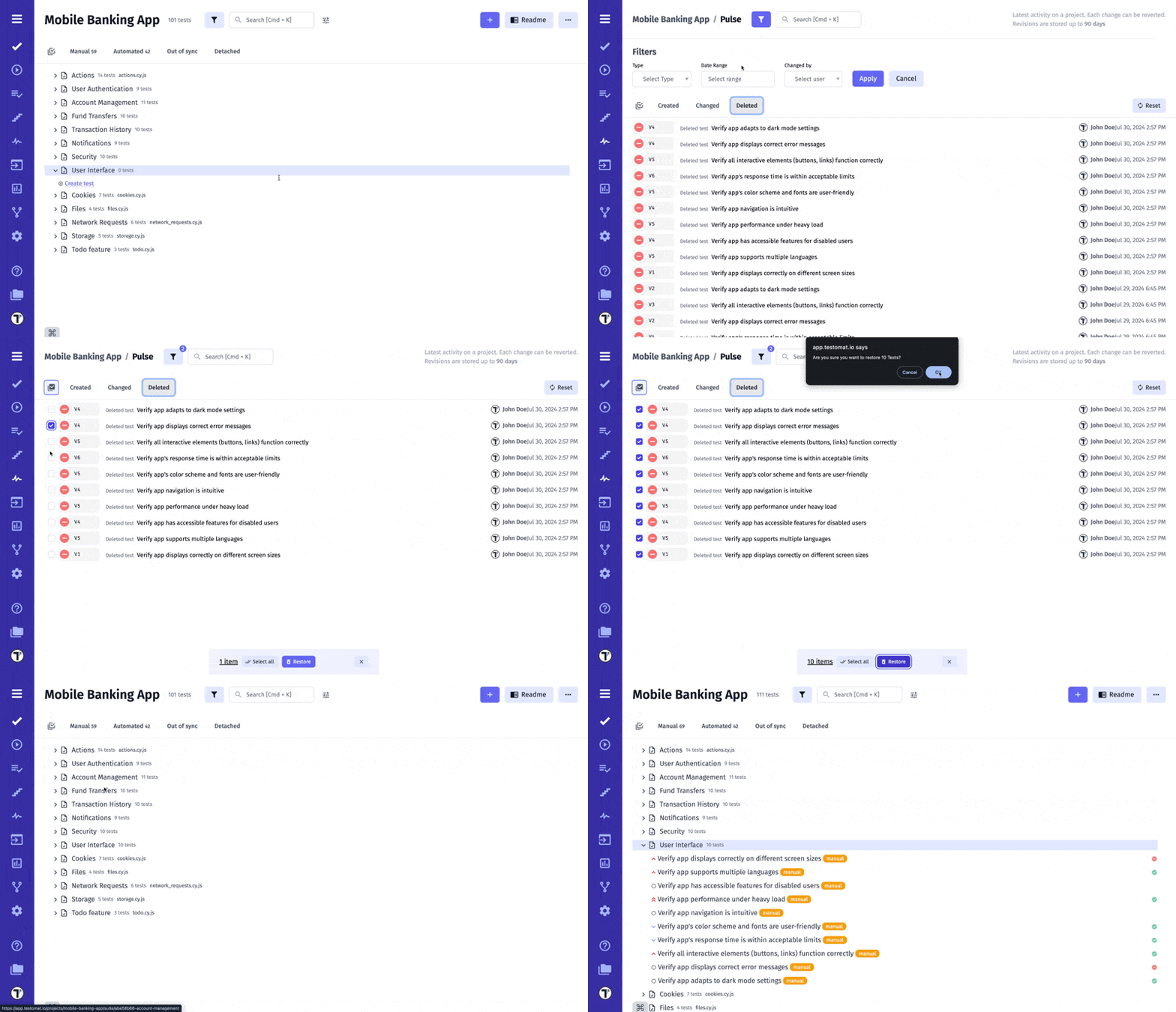
Section titled “Bulk Restore”Bulk Restore is a great extension for Pulse. It is designed to save you time and effort by allowing you to restore multiple deleted tests and suites at once.
With Bulk Restore, you can:
-
Batch Restore: Quickly and efficiently recover multiple deleted tests and suites at once, eliminating the need to restore each item individually.
-
Multi-Selection Mode: Easily activate multi-select mode, choose the tests and suites you wish to restore, and bring them all back with a single action.